Know the difference between offset and drift
If every subtitle cue is early or late by the same amount, the file usually needs a simple shift. If the mismatch grows over time, the file may have drift and needs more than one timing adjustment.
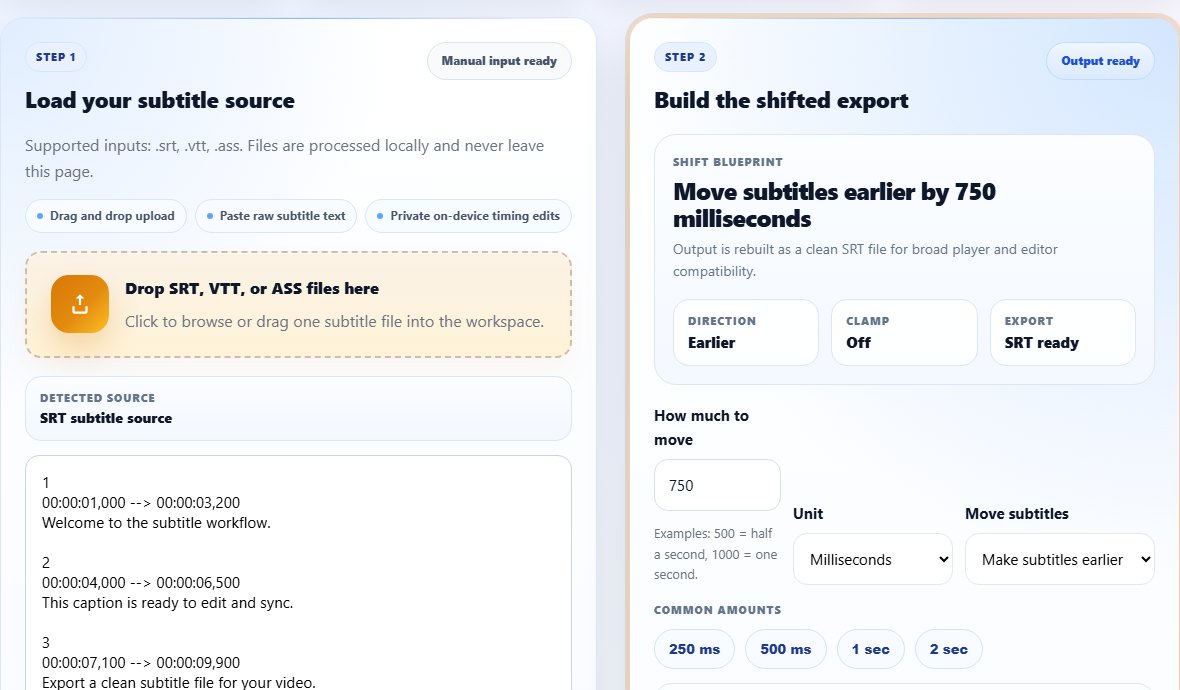
How to repair a simple timing offset
- Open the Subtitle Shifter.
- Upload the subtitle file and test a forward or backward offset.
- Preview the result against a scene with obvious dialogue timing.
- Export the corrected subtitle file once the sync is stable.
Tip: Check sync at the beginning, middle, and end of the video. A file can look correct in the first minute and still drift later.
How to repair drift
If the timing gets worse over time, your subtitle file may not match the version of the video you are using. In that case, try cleaning the file first with the Subtitle Cleaner, then adjust timing in smaller steps, or rebuild sections in the Subtitle Editor.
What to check before exporting
Make sure captions remain readable and do not overlap heavily after shifting. Timing that is technically closer but visually crowded can still create a poor watching experience.