Translating subtitles is not the same as translating a document. The translated text must fit inside existing cue durations, stay readable on screen, preserve meaning, and avoid breaking the timestamp structure.
A good subtitle translation workflow protects the timing first. Cue numbers and timestamps should remain stable while the text changes. After translation, the file needs a review pass for line length, reading speed, names, tone, and cultural context.
This guide explains how to translate SRT and similar subtitle files without damaging the structure that makes them playable.
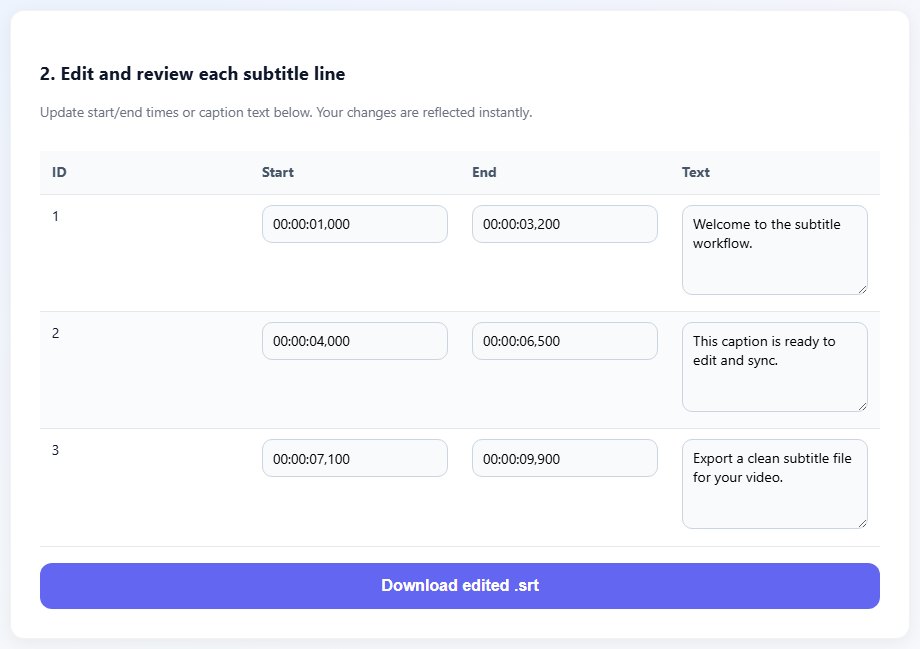
Why subtitle translation needs timing awareness
A sentence that is short in the source language may become longer in the target language. If the cue duration stays the same, the viewer may not have enough time to read it. That is why subtitle translation needs both language judgment and timing review.
Do not remove cue numbers or timestamps before translation unless your workflow can restore them perfectly. The structure is what connects each subtitle line to the video.
Line breaks should be reviewed after translation. A natural break in English may be awkward in Arabic, French, Spanish, or another target language. Readability matters more than matching the source line breaks exactly.
Names, technical terms, jokes, and speaker tone deserve special attention. Automated translation can create a useful draft, but final subtitles need human review before publishing.
Translate cue text while preserving cue numbers and timestamp ranges. The timing is the skeleton of the subtitle file.
Original: video.en.srt
Translated: video.fr.srt

Keep timestamps identical unless review shows the target text needs timing changes.
Step-by-step: translate subtitle files
Use this workflow for SRT, then convert to other formats only after the translated file has been reviewed.
Start with a clean source subtitle file.
Back up the original before translation.
Translate the cue text while preserving timestamps and cue order.
Review names, terminology, idioms, and speaker tone.
- Start with a clean source subtitle file.
- Back up the original before translation.
- Translate the cue text while preserving timestamps and cue order.
- Review names, terminology, idioms, and speaker tone.
- Adjust line breaks for the target language.
- Check reading speed for long translated cues.
- Preview the translated subtitle with the video.
- Export the final file with a clear language code.
Practical examples
Real subtitle work usually fails at boundaries: the first spoken line, a scene change, a translated phrase that becomes longer, or a platform upload that expects a different format. Use the examples below as a quick quality check before you export.
Technical terms should stay consistent across all cues so viewers do not see multiple translations for one concept.
Short conversational lines may need natural phrasing rather than word-for-word structure.
After translation, review line direction, punctuation, and encoding in the target player.
Subtitle text is translated as a plain document and timestamps are lost or rebuilt inaccurately.
Cue structure stays intact, translated text is reviewed, and the final file plays in sync with the video.
Common mistakes to avoid
Most subtitle problems become harder when the source file is edited without a plan. Keep an original copy, make one focused change at a time, and test the output in the environment where viewers will actually use it.
- Removing timestamps before translation.
- Translating line by line without checking target-language readability.
- Ignoring reading speed when translations become longer.
- Using inconsistent terminology across the file.
- Forgetting UTF-8 encoding for multilingual subtitles.
- Publishing machine translation without review.
Conclusion
Subtitle translation succeeds when language quality and timing structure work together. Keep timestamps safe, translate the visible text, then review the target language in real playback.
A clean translated subtitle file can become the source for platform upload, VTT conversion, MP4 captions, or further language versions.
Related tools
Use these TranslateSubtitles.net tools when you are ready to apply the workflow from this guide.
Related guides
FAQ
Can I translate SRT files without changing timing?
Yes. In many workflows, timestamps stay the same while only cue text changes.
Should I translate before or after timing?
Usually fix timing first, then translate, then review whether translated cue length still works.
Can automatic translation be enough?
It can create a draft, but review is important for names, tone, context, and readability.
How should translated subtitle files be named?
Use clear language labels such as video.en.srt, video.fr.srt, or video.ar.srt.