YouTube captions improve accessibility, search visibility, viewer retention, and translation workflows. Automatic captions can help, but a reviewed subtitle file gives you more control over wording, punctuation, names, and technical terms.
The strongest workflow is to prepare a clean SRT file before upload. That file becomes your reusable caption source for future edits, translations, course platforms, social clips, and website versions.
This guide shows how to add captions to YouTube videos without treating upload as the whole job. You will prepare the file, upload it, assign the right language, preview playback, and keep a master copy.
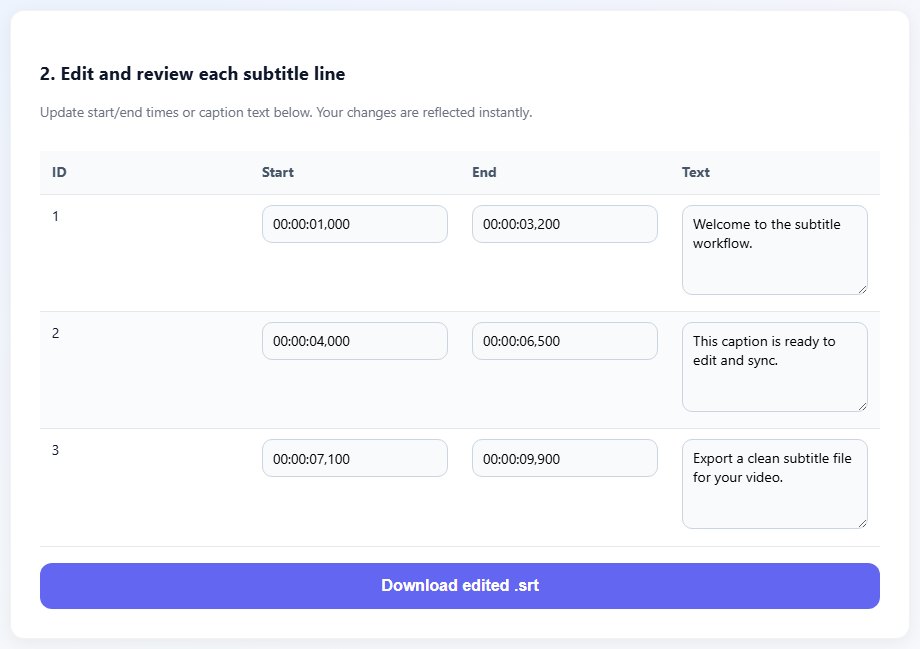
What YouTube needs from a caption file
A caption file needs accurate timing and readable text. YouTube can display the file, but it cannot understand your production intent. If a name is misspelled or a technical word is wrong, the platform will not fix that for you.
SRT is a practical upload format because it is easy to edit and review. VTT can also be useful, especially if you already use WebVTT for your website. The format matters less than the quality of the timing and text.
Language labeling matters. A caption file uploaded under the wrong language can confuse viewers and translation workflows. Use clear file names internally, but assign the official language correctly during upload.
Previewing after upload is required. Captions can look different in YouTube's player than they do in a text editor. Long lines, fast captions, and awkward breaks become easier to spot during playback.
Store the final SRT outside YouTube as your source of truth. That makes future corrections and translations much faster.
video-title.en.srt
video-title.es.srt
video-title.fr.srt

Use one clean caption file per language.
Step-by-step: add captions to YouTube
Prepare the caption file before opening the upload screen. That gives you cleaner results and a reusable source.
Create or edit a timed SRT caption file for the video.
Proofread names, terms, punctuation, and line breaks.
Shift timing if the captions are consistently early or late.
Open YouTube Studio and choose the video you want to caption.
- Create or edit a timed SRT caption file for the video.
- Proofread names, terms, punctuation, and line breaks.
- Shift timing if the captions are consistently early or late.
- Open YouTube Studio and choose the video you want to caption.
- Add subtitles for the correct language and upload the caption file.
- Preview the video with captions enabled.
- Fix any timing or readability issues in the source file, then re-upload if needed.
- Archive the approved caption file with the video project.
Practical examples
Real subtitle work usually fails at boundaries: the first spoken line, a scene change, a translated phrase that becomes longer, or a platform upload that expects a different format. Use the examples below as a quick quality check before you export.
Clean SRT captions make technical terms searchable and easier for viewers to follow.
Manual caption review catches names and places that automatic captions often miss.
A master caption file makes it easier to create translated subtitle versions later.
Captions are generated automatically, unreviewed, and corrected only after viewers report mistakes.
A reviewed SRT is uploaded, previewed, archived, and ready for translation or reuse.
Common mistakes to avoid
Most subtitle problems become harder when the source file is edited without a plan. Keep an original copy, make one focused change at a time, and test the output in the environment where viewers will actually use it.
- Uploading captions without proofreading the source text.
- Assigning the wrong language to a caption file.
- Depending only on automatic captions for names and technical terms.
- Forgetting to preview captions on YouTube after upload.
- Keeping corrections only inside the platform and losing the source file.
- Using one caption file for multiple languages.
Conclusion
Adding captions to YouTube is easy, but adding good captions takes a workflow. Prepare the SRT, upload it with the correct language, preview playback, and keep the approved file.
That small amount of structure gives you better accessibility, cleaner translations, and a caption source you can reuse outside YouTube.
Related tools
Use these TranslateSubtitles.net tools when you are ready to apply the workflow from this guide.
Related guides
FAQ
Can I upload SRT captions to YouTube?
Yes. SRT is a common and practical format for YouTube caption uploads.
Should I use automatic captions or upload my own?
Automatic captions can help as a draft, but uploaded and reviewed captions are usually more accurate.
Can I add captions in multiple languages?
Yes. Keep one caption file per language and label each upload correctly.
Do captions help SEO?
Captions can improve accessibility and make video content easier for platforms and viewers to understand.