A TXT transcript is not a subtitle file yet. It may contain the right words, but subtitles also need cue timing, order, readable line breaks, and a format that players can understand.
Converting TXT to SRT means turning transcript paragraphs into timestamped cues. The main work is deciding where each caption starts and ends while keeping the text short enough to read comfortably.
This guide explains a realistic TXT-to-SRT workflow for interviews, tutorials, lectures, podcasts, course videos, and translated scripts.
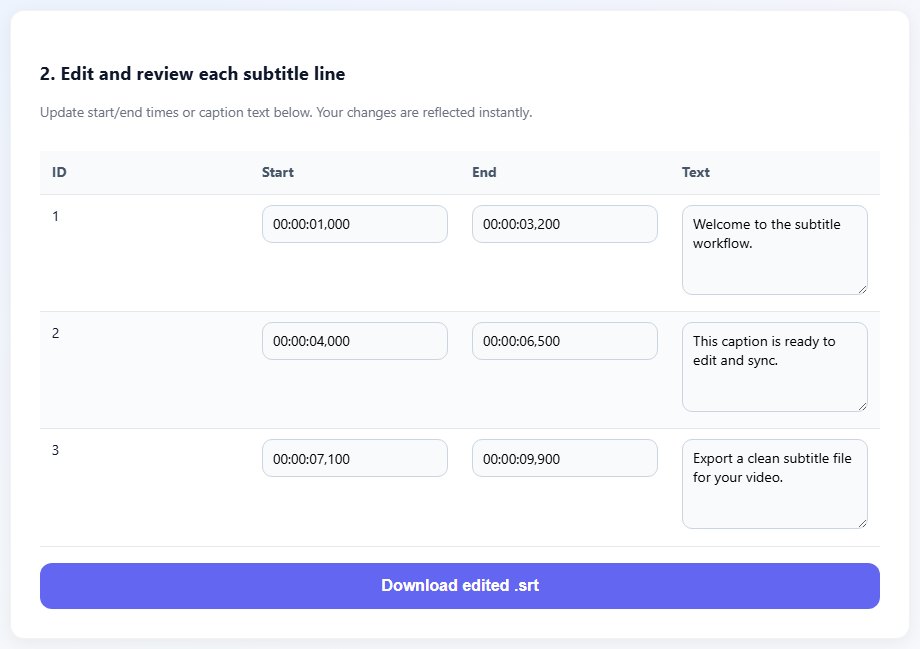
Why TXT cannot simply be renamed to SRT
TXT is plain text without subtitle timing. SRT is also plain text, but it has a strict timed structure. A video player needs timestamp ranges to know when each line should appear and disappear.
Renaming transcript.txt to transcript.srt will not create subtitles. The file needs cue numbers, timestamp ranges, caption text, and blank lines between cues. Without those elements, most players will ignore it or show errors.
The quality of the original transcript matters. Long paragraphs should be divided into short caption units. Speaker labels, notes, and stage directions should be handled consistently so the visible subtitle text feels intentional.
If the transcript is translated, line length may change. Some languages require more characters to express the same idea. Build cues around readability, not only the original transcript breaks.
Split long transcript paragraphs into short cues before timing. Short units are easier to sync and easier to read.
TXT:
Welcome to the lesson. Today we will cover subtitle timing.

SRT:
1
00:00:01,000 --> 00:00:04,000
Welcome to the lesson.

2
00:00:04,200 --> 00:00:07,200
Today we will cover subtitle timing.
Step-by-step: convert TXT to SRT
The conversion is partly formatting and partly editorial judgment. Aim for clean timing and readable captions, not a word-for-word wall of text.
Clean the TXT transcript and remove notes that should not appear on screen.
Split the transcript into short caption units.
Add cue numbers in order.
Watch the video and add start and end timestamps for each cue.
- Clean the TXT transcript and remove notes that should not appear on screen.
- Split the transcript into short caption units.
- Add cue numbers in order.
- Watch the video and add start and end timestamps for each cue.
- Keep captions to one or two lines where possible.
- Preview playback and adjust timing for reading comfort.
- Save the file as .srt with UTF-8 encoding.
- Test the SRT in a player or upload environment.
Practical examples
Real subtitle work usually fails at boundaries: the first spoken line, a scene change, a translated phrase that becomes longer, or a platform upload that expects a different format. Use the examples below as a quick quality check before you export.
A transcript paragraph can be split into short subtitle cues for a social video.
Technical terms should remain consistent while cue lengths stay readable.
Time the target-language text after translation so captions fit naturally.
The transcript is readable as a document but has no timing, cue order, or subtitle structure.
The SRT has numbered cues, timestamps, short lines, and a playable subtitle structure.
Common mistakes to avoid
Most subtitle problems become harder when the source file is edited without a plan. Keep an original copy, make one focused change at a time, and test the output in the environment where viewers will actually use it.
- Renaming a TXT file to SRT without adding timestamps.
- Keeping transcript paragraphs too long for on-screen captions.
- Leaving editor notes inside visible subtitle text.
- Timing translated text against the original language without checking length.
- Forgetting blank lines between SRT cues.
- Skipping playback review after export.
Conclusion
TXT to SRT conversion turns a document into timed media. The words matter, but the timing and cue structure are what make the file usable as subtitles.
Start with a clean transcript, split it into readable captions, add accurate timing, and save a reusable SRT that can be edited, translated, or converted.
Related tools
Use these TranslateSubtitles.net tools when you are ready to apply the workflow from this guide.
Related guides
FAQ
Can I convert TXT to SRT automatically?
You can format text automatically, but accurate timing still needs audio or video alignment.
Do TXT files contain timestamps?
Usually no. If a transcript already has timestamps, you can use them as a starting point for SRT cues.
What is the best format after TXT?
SRT is a good first subtitle format because it is simple and widely supported.
Can I convert TXT to VTT?
Yes, but many workflows create SRT first, then convert SRT to VTT for web delivery.