WebVTT is the subtitle format built for web video. If you are adding captions to an HTML5 video player, a learning platform, or a custom website, VTT is often the format you need.
A VTT file looks similar to SRT, but the syntax is different. It starts with WEBVTT, uses periods for milliseconds, and can support web-focused cue behavior. Small syntax mistakes can stop captions from loading.
This guide explains when to use WebVTT, how to prepare VTT from SRT, what a valid file looks like, and how to troubleshoot common caption issues in web players.
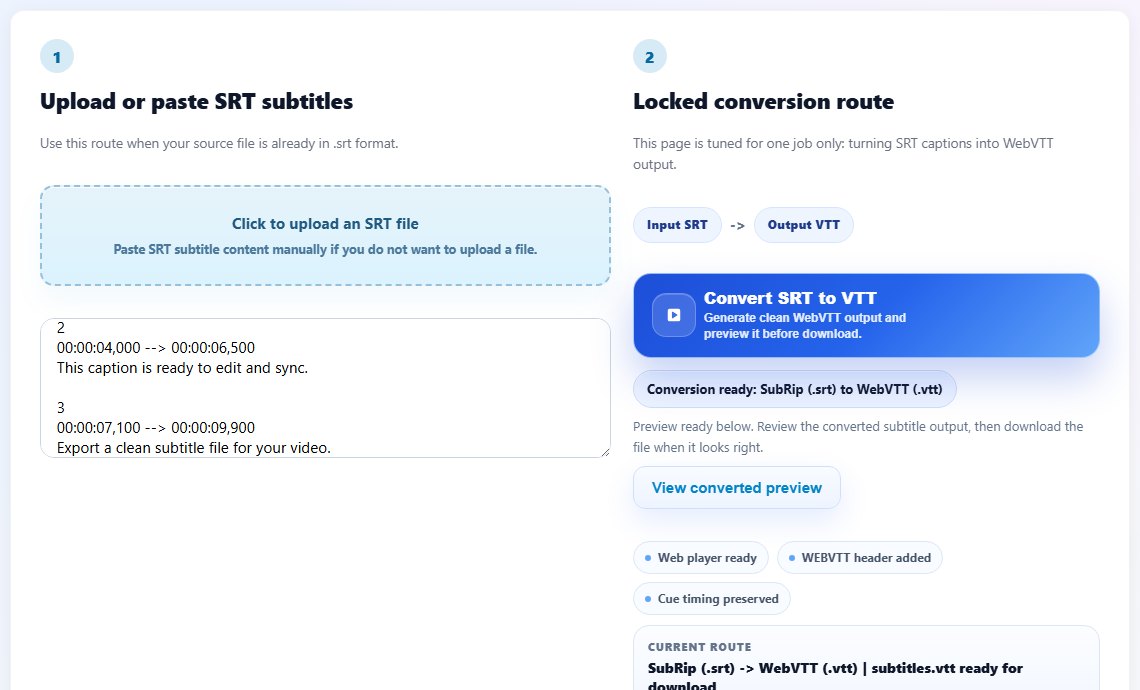
How WebVTT differs from SRT
SRT and VTT both store timed text, but VTT is designed for browsers. The first line should be WEBVTT. Timestamps use periods before milliseconds, such as 00:00:04.200 instead of the SRT comma format.
WebVTT can also include optional cue settings. For many subtitle workflows, you do not need advanced positioning. Clean timing and readable text matter more than extra syntax.
When you convert SRT to VTT, the converter should adjust timestamp punctuation, add the WEBVTT header, and preserve cue text. After conversion, preview the captions in the target player because web players can be strict about file paths and MIME types.
Use VTT for HTML5 video delivery. Keep SRT as the editable master if your team also needs YouTube uploads, translation, or desktop playback.
Many teams keep SRT for editing and translation, then export VTT specifically for website delivery.
WEBVTT

00:00:01.000 --> 00:00:03.800
Welcome to the web video.

00:00:04.100 --> 00:00:07.000
These captions use WebVTT syntax.
Step-by-step: use WebVTT subtitles
Use a clean source file and test in the real web player. A VTT that works locally may still fail if the website path or server setup is wrong.
Start with a proofread SRT or existing VTT file.
Convert SRT timestamps from comma milliseconds to period milliseconds.
Add or confirm the WEBVTT header at the top of the file.
Save the file with a .vtt extension and UTF-8 encoding.
- Start with a proofread SRT or existing VTT file.
- Convert SRT timestamps from comma milliseconds to period milliseconds.
- Add or confirm the WEBVTT header at the top of the file.
- Save the file with a .vtt extension and UTF-8 encoding.
- Upload the VTT file beside the video or in the expected asset folder.
- Reference it in the HTML5 video track element with the right language label.
- Test captions in the browser on desktop and mobile.
- Keep the source subtitle file for future edits.
Practical examples
Real subtitle work usually fails at boundaries: the first spoken line, a scene change, a translated phrase that becomes longer, or a platform upload that expects a different format. Use the examples below as a quick quality check before you export.
Use VTT with an HTML5 video player so viewers can toggle captions in the browser.
A course platform may ask for VTT because lessons are delivered through a web player.
Upload SRT to a video platform and VTT to your website from the same master caption file.
A web player is given an SRT file or a VTT file with missing header and wrong timestamp punctuation.
The VTT starts with WEBVTT, uses correct timestamps, has clear language labels, and loads in the HTML5 player.
Common mistakes to avoid
Most subtitle problems become harder when the source file is edited without a plan. Keep an original copy, make one focused change at a time, and test the output in the environment where viewers will actually use it.
- Using SRT comma timestamps inside a VTT file.
- Forgetting the WEBVTT header.
- Uploading the file to the wrong path and blaming the subtitle syntax.
- Adding advanced cue settings before the basic captions work.
- Testing only in one browser or one device size.
- Editing the VTT export and losing the cleaner SRT master.
Conclusion
WebVTT is the right subtitle format for many web video workflows. It is close enough to SRT to be approachable, but strict enough that syntax details matter.
Use a clean source, convert carefully, test in the real player, and keep a reusable master file so future edits and translations stay manageable.
Related tools
Use these TranslateSubtitles.net tools when you are ready to apply the workflow from this guide.
Related guides
FAQ
Is WebVTT the same as SRT?
No. They are similar timed-text formats, but VTT has a WEBVTT header and different timestamp punctuation.
Can I use SRT in HTML5 video?
Native HTML5 track workflows usually expect WebVTT, so converting SRT to VTT is often the safer choice.
Why is my VTT file not loading?
Check the WEBVTT header, timestamp syntax, file path, language label, and server delivery.
Should I edit VTT directly?
You can, but many teams keep SRT as the master and export VTT for web delivery.